

Quick Answer: How to Translate Beast of Reincarnation?
If you want to play Beast of Reincarnation in a language not officially supported by the developers, the most effective method is using a real-time game translation tool like the LagoFast Built-In Game Translation Tool.
Beast of Reincarnation is a breathtaking action RPG developed by Game Freak. Set in a beautifully desolate post-apocalyptic Japan in the year 4026, you play as Emma the Sealer and her loyal blighted dog, Koo. Surviving this world requires sharp reflexes, and understanding the intricate menus is absolutely vital.
Part 1: Beast of Reincarnation Official Supported Languages
Part 2: How to Change Language in Beast of Reincarnation (For Supported Languages)
Part 3: Beast of Reincarnation Translation Guide: How to Play in Unsupported Languages
Part 4: Bonus Tips: How to Fix Common Beast of Reincarnation Game Issues
Part 5: Beast of Reincarnation FAQs
Part 1: Beast of Reincarnation Official Supported Languages
Beast of Reincarnation supports several major global languages natively across its user interface, subtitles, and voiceover tracks. Players looking to enjoy full audio localization will find options in English and Japanese, while textual interface support extends across multiple regions.
|
Language |
Interface |
Full Audio |
Subtitles |
|
English |
✔ |
✔ |
✔ |
|
Japanese |
✔ |
✔ |
✔ |
|
French |
✔ |
✖ |
✔ |
|
German |
✔ |
✖ |
✔ |
|
Spanish (Spain) |
✔ |
✖ |
✔ |
|
Spanish (Latin America) |
✔ |
✖ |
✔ |
|
Italian |
✔ |
✖ |
✔ |
|
Korean |
✔ |
✖ |
✔ |
|
Portuguese (Brazil) |
✔ |
✖ |
✔ |
|
Simplified Chinese |
✔ |
✖ |
✔ |
|
Traditional Chinese |
✔ |
✖ |
✔ |
If your language is present in the table above, configuring your game takes only a few seconds. The following step-by-step instructions walk you through modifying language settings via two different menus.
Part 2: How to Change Language in Beast of Reincarnation (For Supported Languages)
Toggling display or voice languages can be handled either before launching your adventure or during live gameplay. Follow the specific instructions below depending on your current location in the game.
Having a clean configuration before diving into combat ensures all lore descriptions and item names load correctly.
Changing Language From the Main Title Menu
Step 1: Launch Beast of Reincarnation and wait for the title screen to finish loading.
Step 2: Select Game Settings from the primary menu list before loading any saved game data.
Step 3: Scroll down until you highlight the Language section.
Step 4: Toggle the Display Language or Voice Language sliders left or right to choose your preferred setting.
Step 5: Save your changes and confirm the selection before starting or resuming your save file.
If you are already exploring post-apocalyptic Japan with Emma and Koo, you do not need to exit back to the start screen to adjust text parameters.
Changing Language While In-Game
Step 1: Press Escape on your keyboard (or Options / Menu on your controller) to open the pause screen.
Step 2: Navigate to the System tab located on the far right side of the menu.
Step 3: Select Options, click into Language Settings, and modify your subtitle or interface choices.
Note: Subtitle and UI language changes update dynamically, but modifying voiceover audio tracks may require returning to the title screen to apply completely.
While official localizations cover major gaming markets, millions of players speak languages outside the default settings. The next section details how to solve this issue without missing critical story beats.
Part 3: Beast of Reincarnation Translation Guide: How to Play in Unsupported Languages
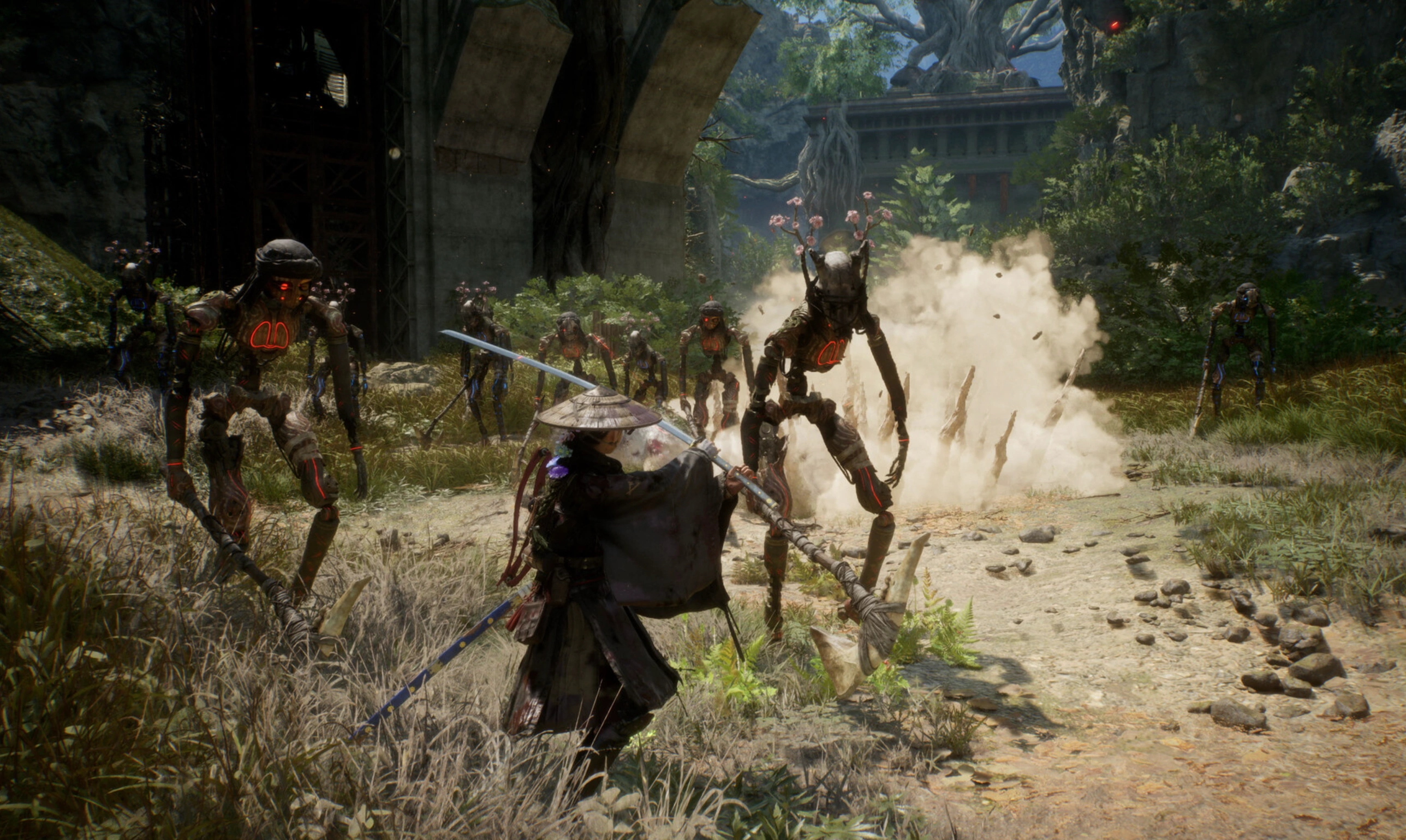
Stopping every few minutes to point a mobile camera app at your monitor or copy Japanese text into an online translator completely ruins the flow of real-time action combat. Missing quick-time inputs or failing to comprehend intricate spirit stone mechanics because of a language barrier creates unnecessary friction during your play session.
To bridge this gap, utilizing a dedicated real-time translator provides a seamless overlay experience that keeps your gameplay fluid and understandable.
Beast of Reincarnation Game Translation Tool - LagoFast
The LagoFast Game Translation Tool is specifically designed to bypass regional language barriers in modern RPGs. Powered by high-speed Optical Character Recognition (OCR), LagoFast projects an intelligent, real-time translation overlay over your screen without altering game memory or risking account bans.
Whether you are looking to play Beast of Reincarnation in Russian, read Beast of Reincarnation Turkish subtitles, or access the Beast of Reincarnation Polish language experience, LagoFast translates complex menus and fast-moving cutscene dialogue on the fly. It also provides reliable localization for players seeking Beast of Reincarnation in Ukrainian or Beast of Reincarnation in Thai.
Key Translation Features of LagoFast:
- AI Real-Time In-Game Translation: Automatically translates cutscenes, quest objectives, and user interface elements in real time as you explore the world.
- Auto Chat & Input Translation: Converts international multiplayer chat logs into your native language instantly, enabling smooth team communication.
- Ultra-Fast OCR Technology: Recognizes stylized fantasy fonts and dense UI menus in less than a second using context-aware visual scanning.
- Multi-Platform Flexibility: Works smoothly across PC gaming clients and mobile platforms without heavy hardware overhead.
Step-by-Step Tutorial to Use LagoFast Translation Tool:
Step 1: Download and install the official LagoFast client on your PC.
Step 2: Open LagoFast and type Beast of Reincarnation into the top search bar.
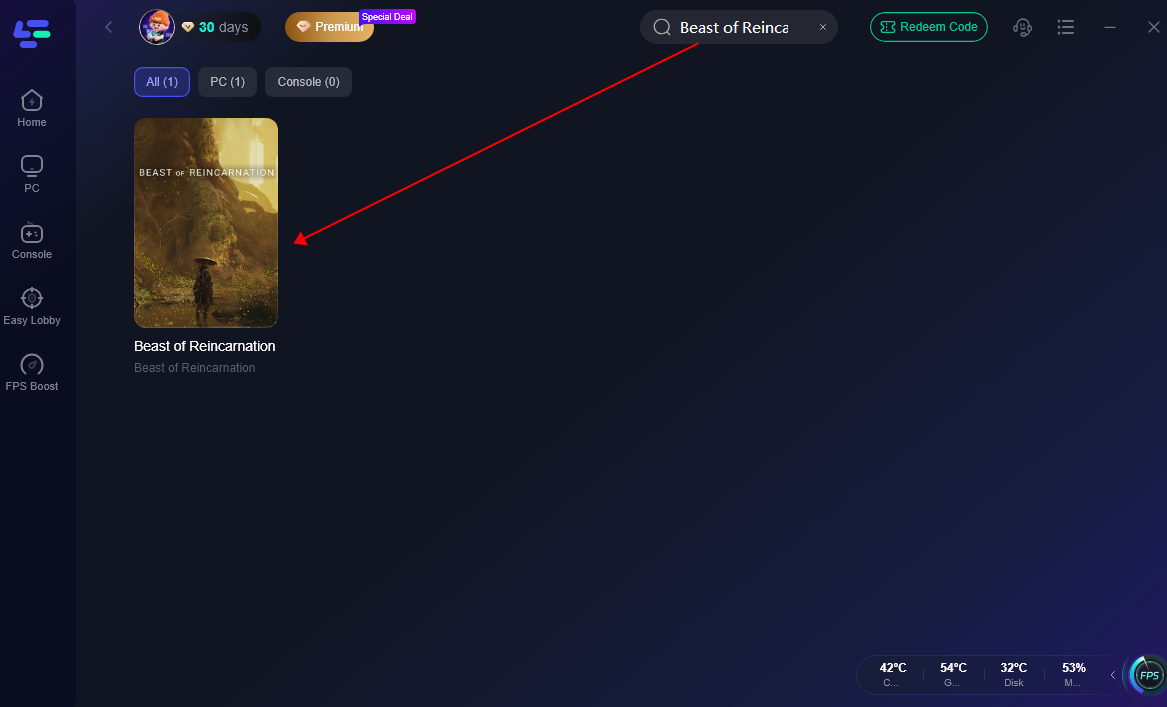
Step 3: Select the game from the result list and locate the Translation Tool icon on the right-hand widget bar.
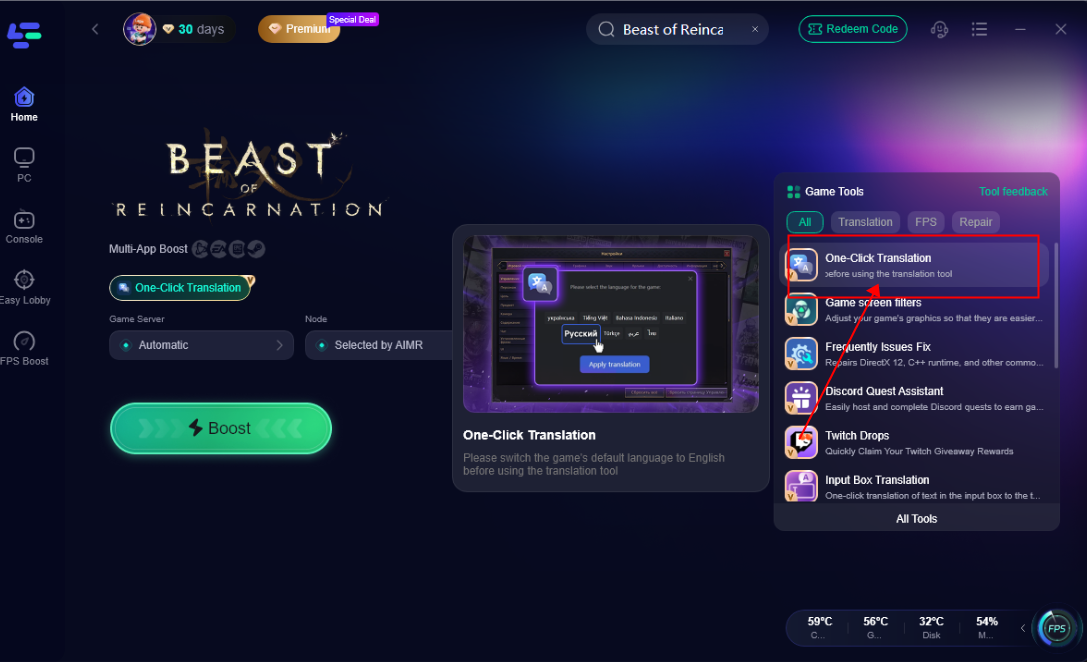
Step 4: Choose your desired output language (such as Russian, Turkish, Polish, Ukrainian, or Thai).
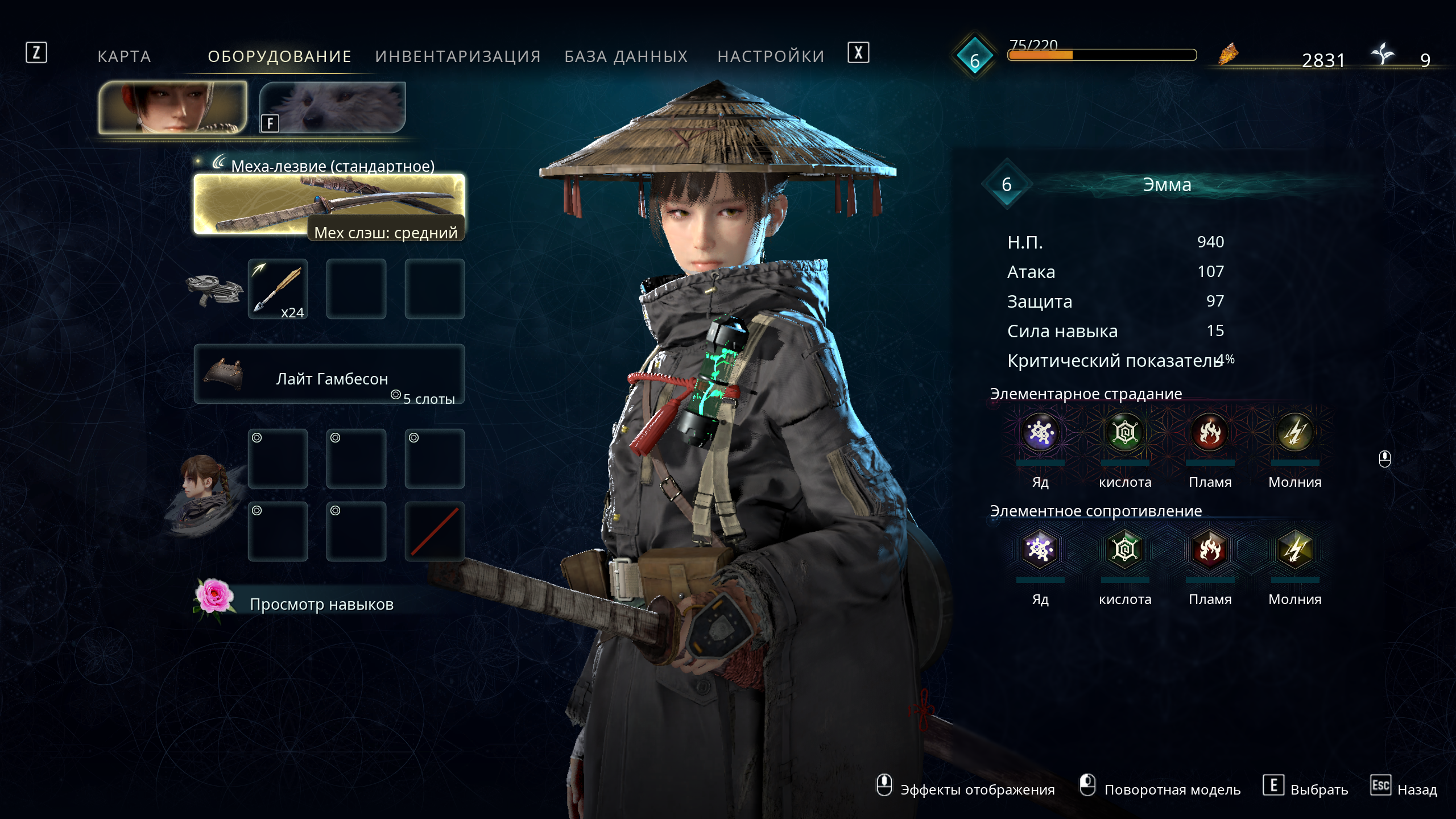
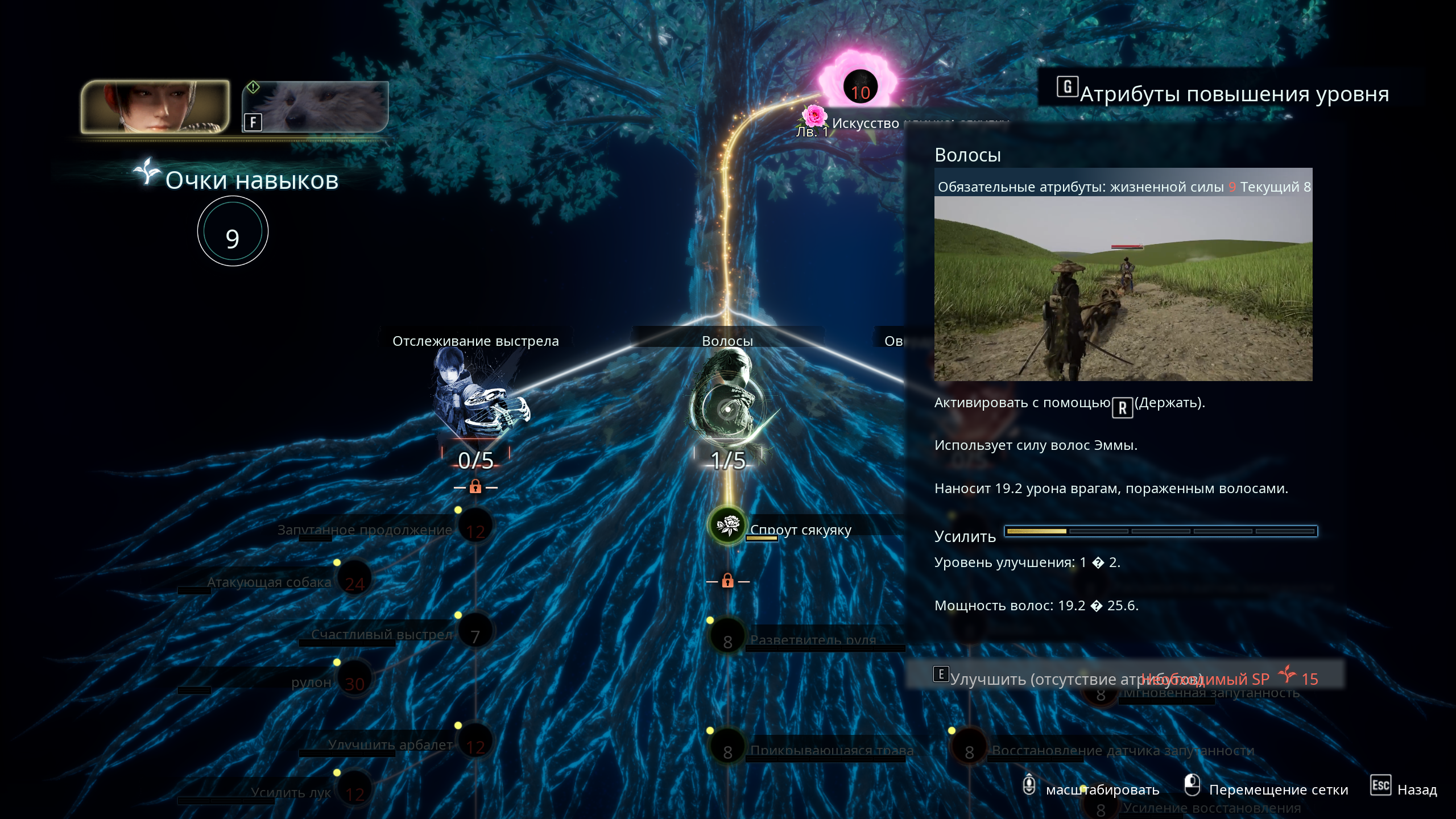
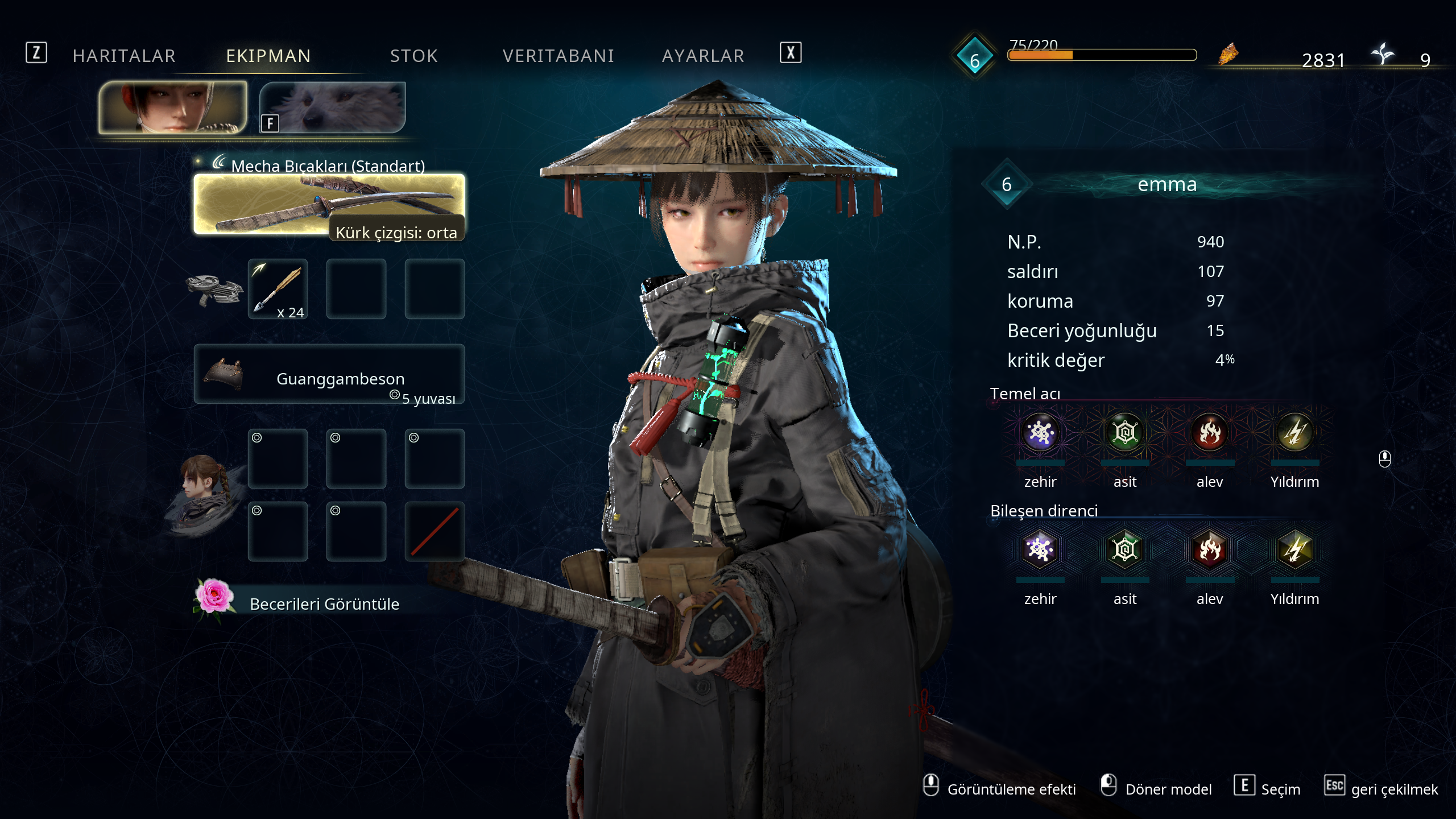
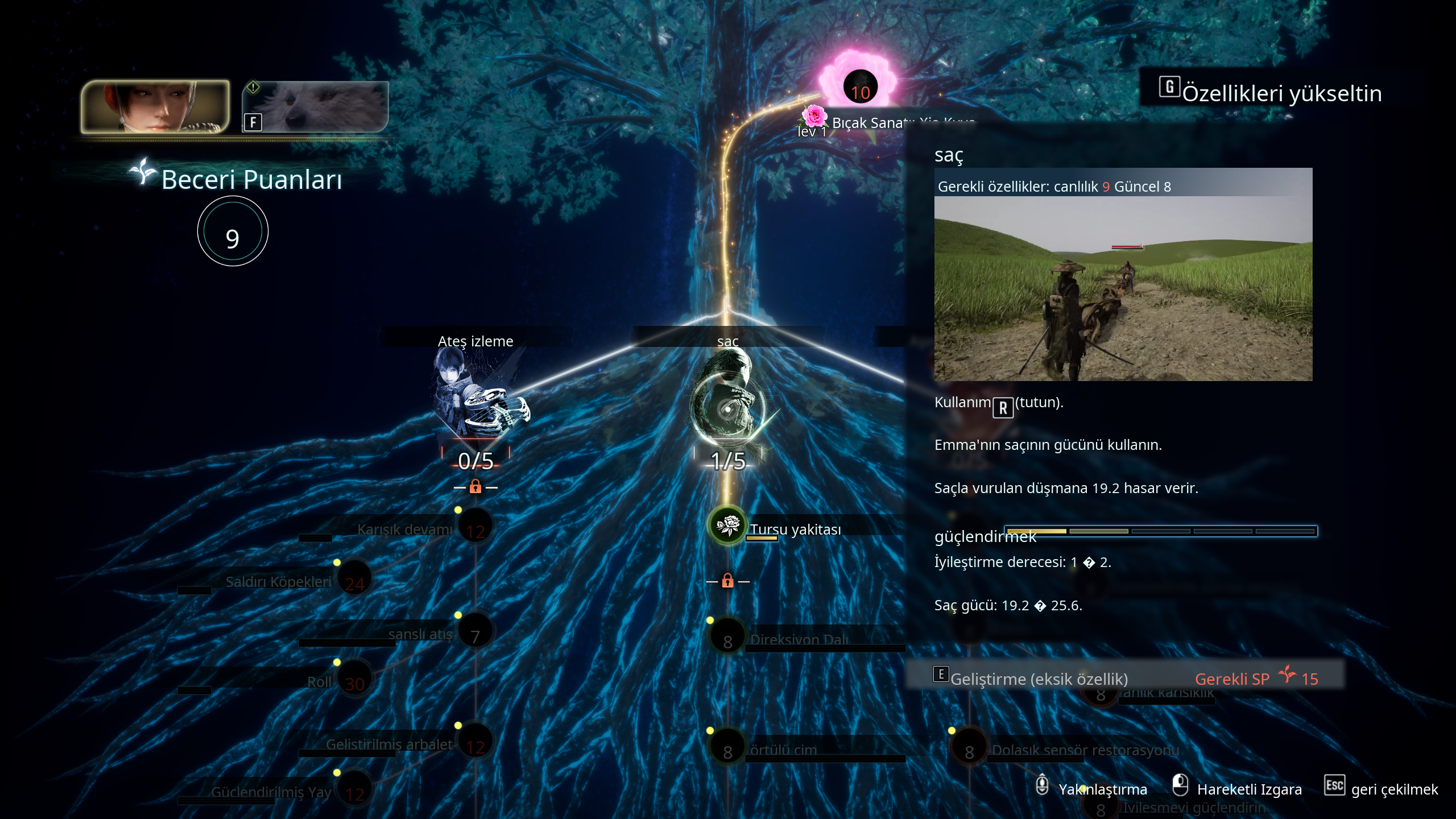
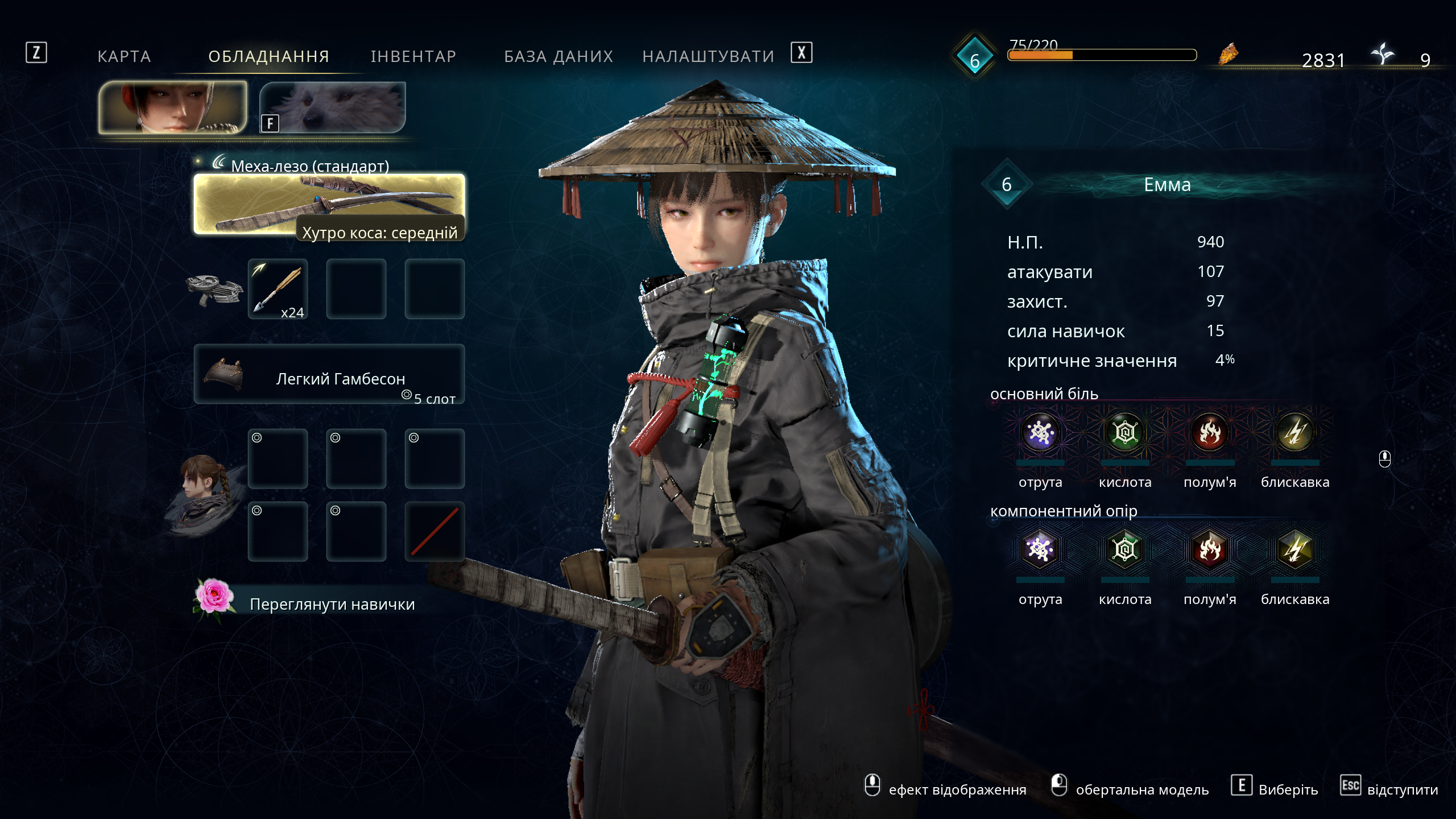
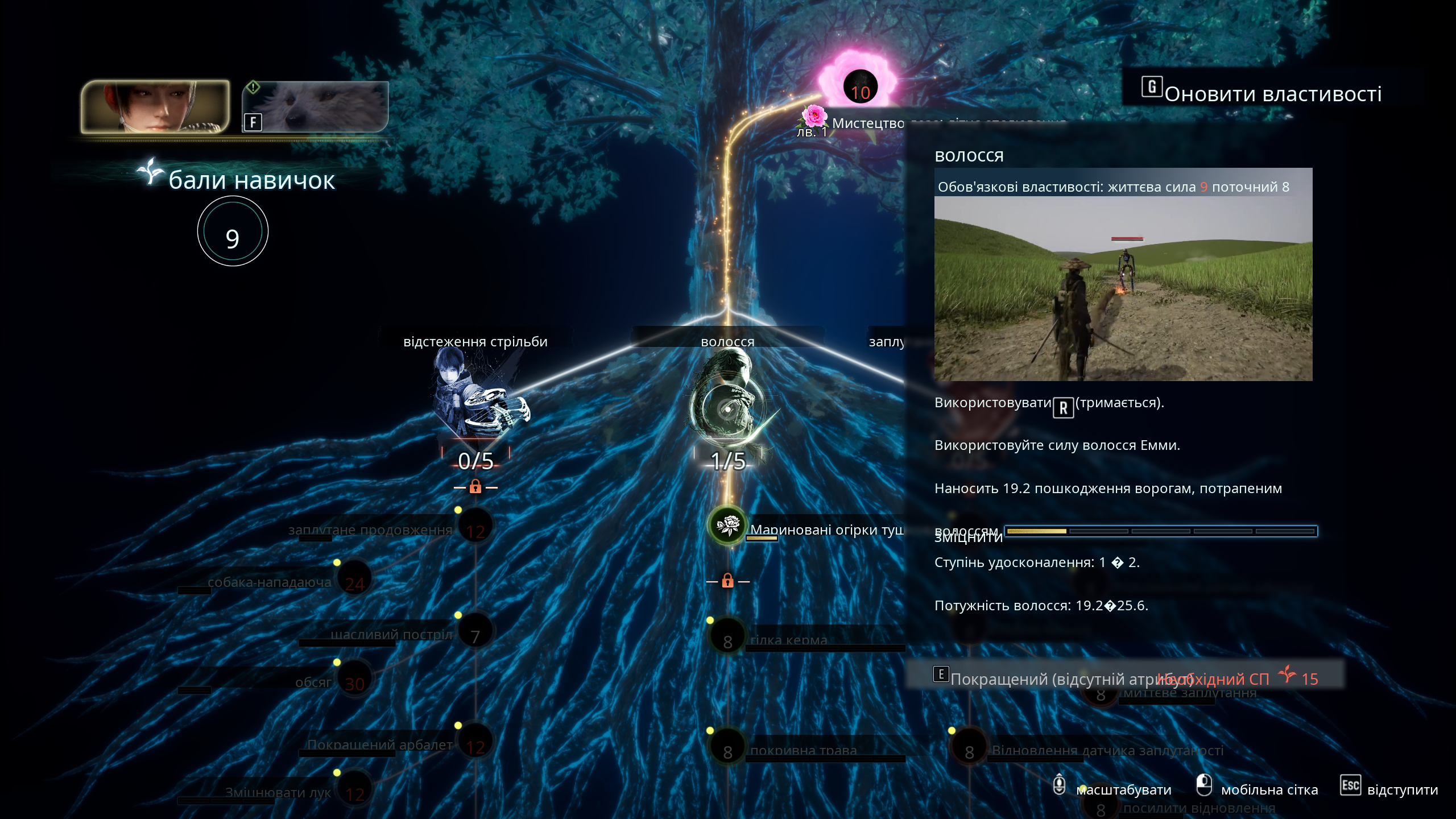
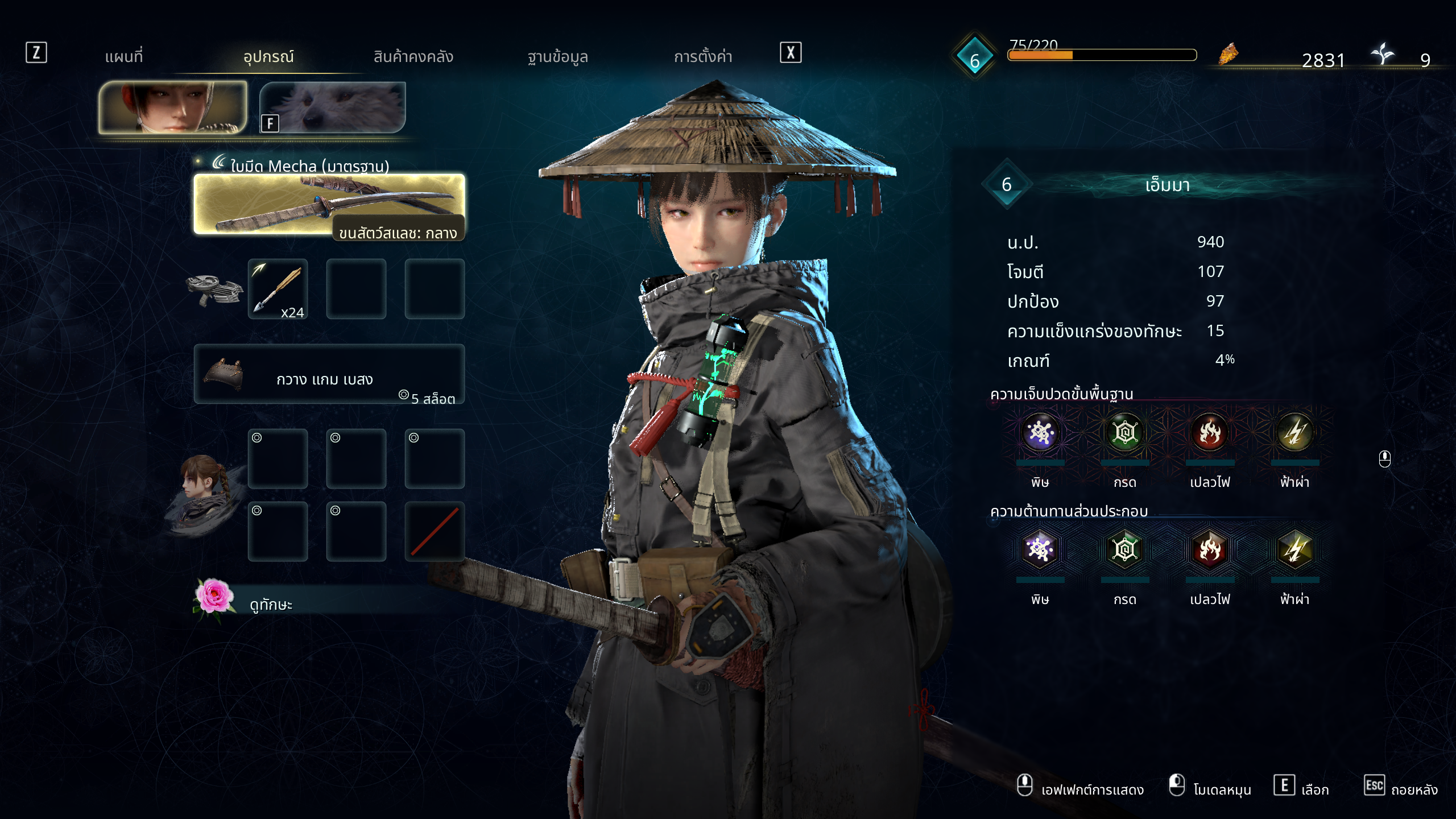
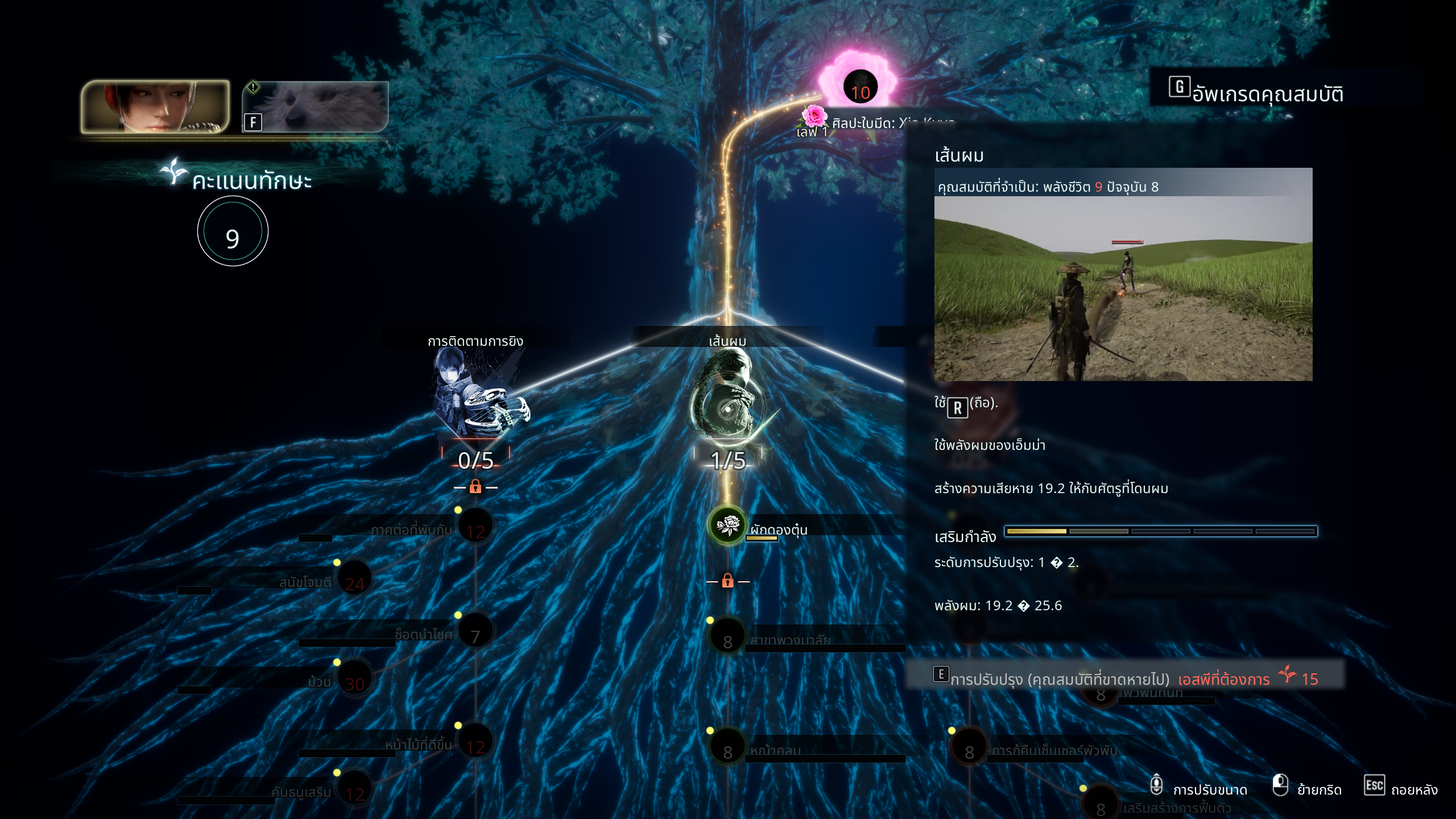
Step 5: Click Apply and launch Beast of Reincarnation through LagoFast. The on-screen text will now display translated overlays automatically.
A localized game interface is only half the battle when playing modern action RPGs. Frame drops, network latency, and random crashes can spoil boss encounters just as quickly as a language barrier.
Part 4: Bonus Tips: How to Fix Common Beast of Reincarnation Game Issues
Demanding action titles running on Unreal Engine 5 require consistent hardware performance and low latency. Stuttering frame rates or unexpected network drops can disrupt precise dodge rolls and skill combos during boss fights.
Understanding the common technical hurdles players encounter helps you troubleshoot problems effectively before they ruin a gaming session.
Common Beast of Reincarnation Game Issues List
- High Ping & Server Delays: Delayed action inputs caused by unoptimized network routing to game servers.
- FPS Drops & Micro-Stutters: Sudden drops in framerate when loading dense blighted forest zones or heavy particle effects.
- Unexpected Game Crashes: Desktop crashes triggered by high RAM usage or outdated graphics libraries.
- Packet Loss & Rubberbanding: Unstable connections that cause character positions to snap back during online co-op play.
- Fixing these issues requires a combination of automated network tools and local system tweaks. Below are the best solutions to stabilize your gaming setup.
How to Fix Game Performance & Connection Issues
Method 1: Optimize Connectivity via LagoFast Game Booster
Beyond its translation capabilities, LagoFast acts as an advanced game booster that routes your connection through dedicated nodes.
Step 1: Download and install LagoFast on your PC.
Step 2: Launch LagoFast and search for Beast of Reincarnation in the search bar.
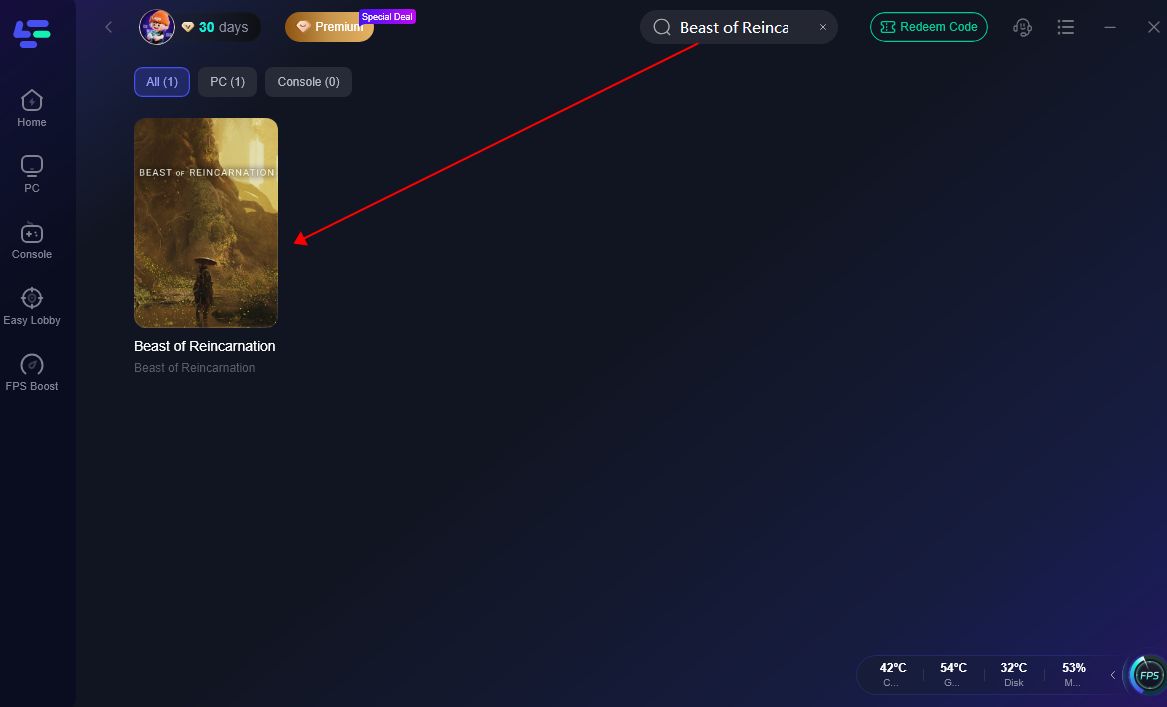
Step 3: Click on the game icon and select your desired target server region.
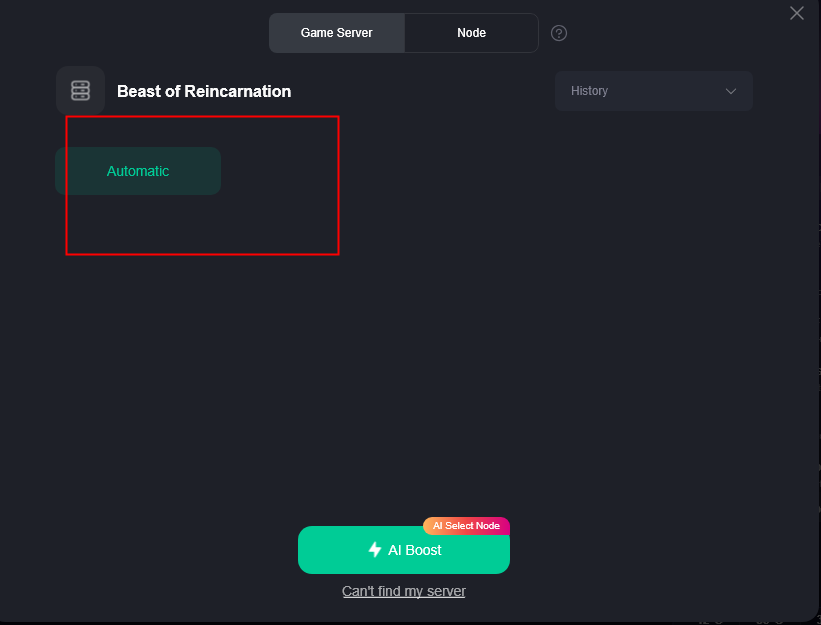
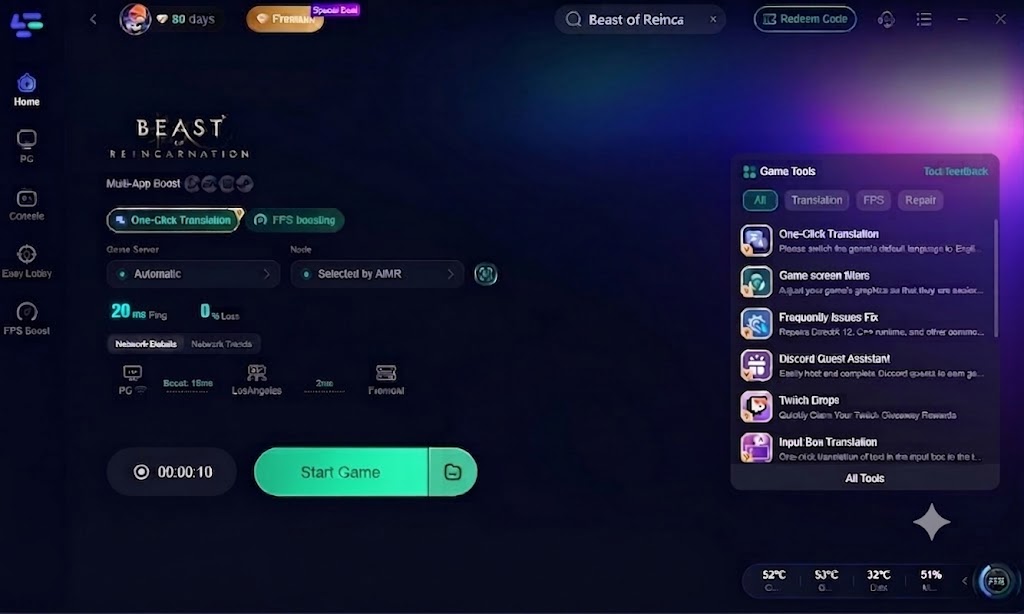
Step 4: Click Boost and review your real-time ping and packet loss stats on the panel, then click Start Game.
Method 2: Manual Fix 1 - Update Drivers & DirectX Libraries
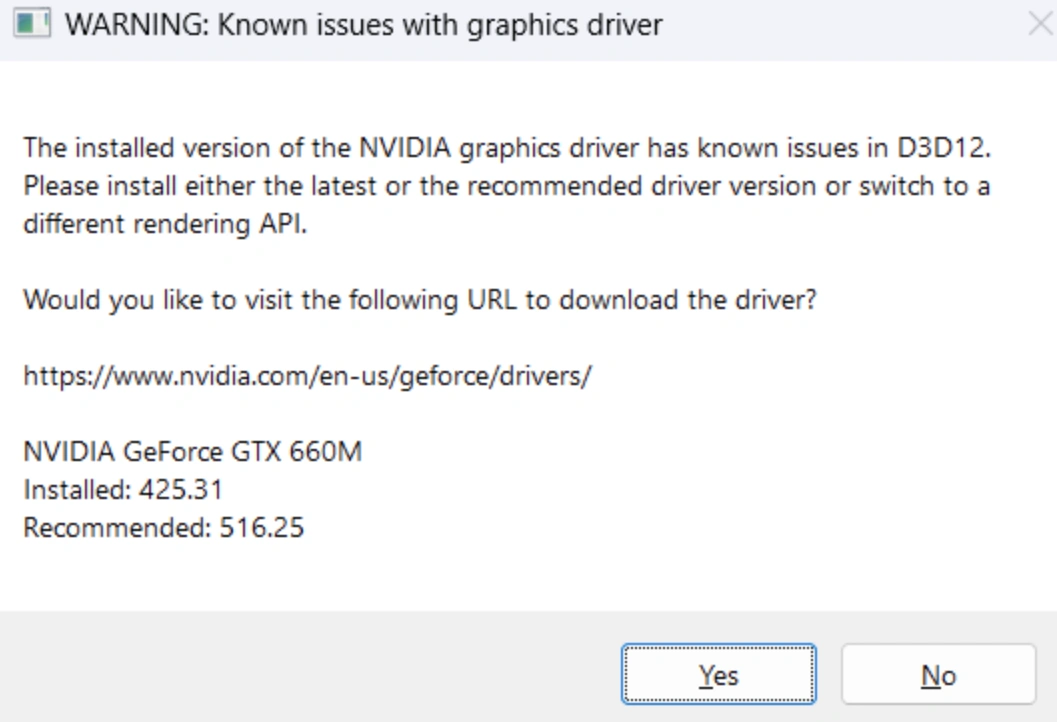
Outdated GPU drivers are the primary cause of graphical glitches in new Unreal Engine 5 releases. Visit NVIDIA, AMD, or Intel’s official driver support pages to install the latest game-ready driver software. Ensure your Windows system has the latest DirectX 12 runtime installed to prevent launch crashes.
Method 3: Manual Fix 2 - Adjust Graphic Presets & DLSS/FSR Options
If you experience stuttering in dense foliage areas, navigate to Graphics Settings in Beast of Reincarnation. Turn down Volumetric Fog and Shadow Quality from High to Medium. Enable NVIDIA DLSS or AMD FSR 3 in Quality mode to regain 20–30 FPS without sacrificing visual clarity.
Method 4: Manual Fix 3 - Modify Windows Power Plan & Background Tasks
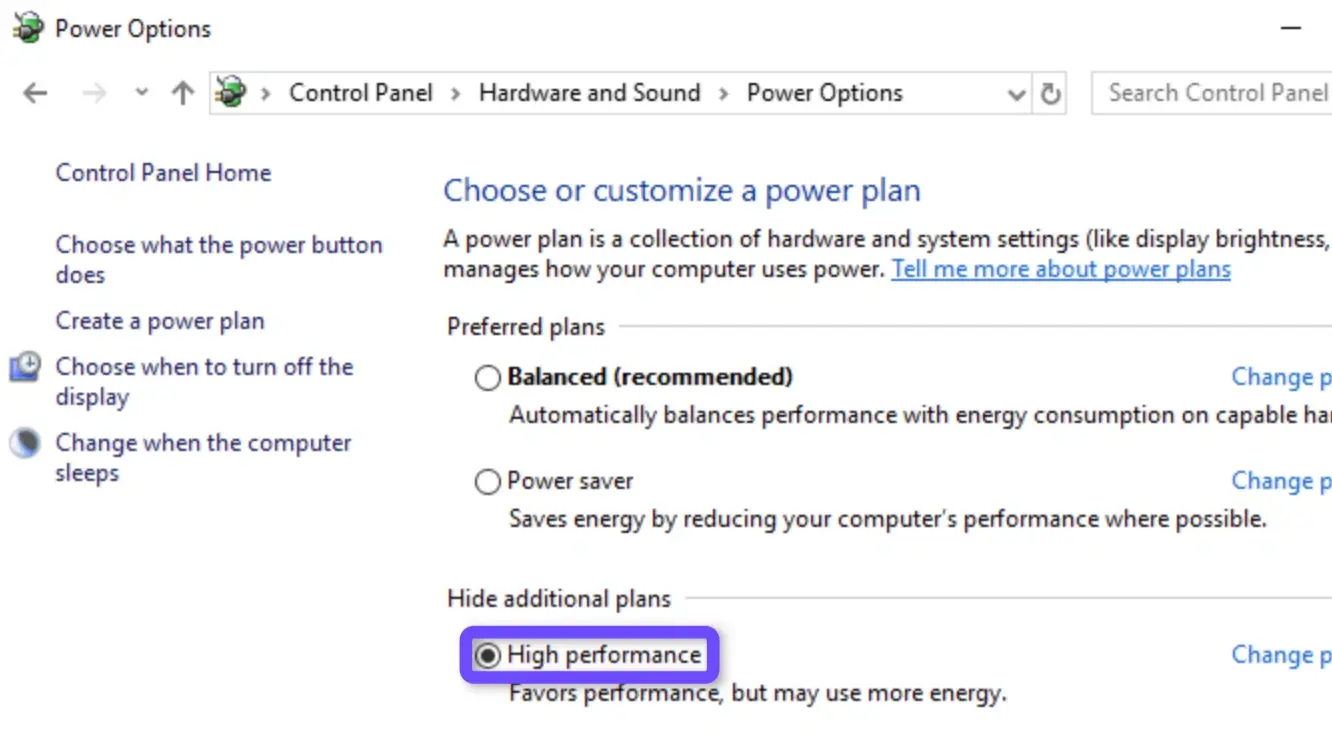
Ensure Windows is not throttling your CPU or GPU resources during play. Open Power Options in Windows Control Panel and set your power scheme to High Performance. Additionally, open Task Manager (Ctrl + Shift + Esc) and terminate non-essential background processes like cloud backups or heavy web browsers before launching the game.
For quick answers regarding language choices, translation safety, and technical specs, review the frequently asked questions below.
Part 5: Beast of Reincarnation FAQs
Can I play Beast of Reincarnation in Russian?
Yes. While Russian is not included in the default in-game settings, you can play in Russian by running LagoFast's real-time translation tool overlay while playing.
Is there official support for Turkish subtitles in Beast of Reincarnation?
No, official Turkish subtitles are not natively included in the game menus. However, you can select Turkish as your target language in LagoFast to view translated subtitles in real time.
Does LagoFast translation work for Thai, Polish, and Ukrainian?
Yes. LagoFast supports real-time text recognition and translation for Thai, Polish, Ukrainian, and dozens of other global languages directly over your game screen.
Will using a real-time translation tool get my account banned?
No. Tools like LagoFast use non-intrusive OCR (Optical Character Recognition) overlays that scan screen pixels visually without altering core game executable files or memory data.
What are the minimum system requirements to run Beast of Reincarnation smoothly?
The game requires a 64-bit Windows 10/11 operating system, an Intel Core i5-8400 or AMD Ryzen 5 3600 processor, 16 GB RAM, DirectX 12, and an NVIDIA GeForce GTX 1070 or AMD Radeon RX 580 graphics card. An SSD is mandatory.
Does LagoFast improve both game lag and language accessibility at the same time?
Yes. LagoFast functions as both a game booster and a real-time translator simultaneously, stabilizing your ping and rendering localized text overlays in a single lightweight program.
Conclusion
Beast of Reincarnation delivers an immersive action RPG experience that deserves to be enjoyed without technical frustrations or language limitations. By adjusting native settings or utilizing LagoFast’s real-time translation overlays and performance-boosting tools, you can explore Emma and Koo’s post-apocalyptic world in your native language with smooth framerates and minimal lag.
Boost Your Game with LagoFast for Epic Speed
Play harder, faster. LagoFast game booster eliminates stutter and lags on PC, mobile, or Mac—win every match!
Quickly Reduce Game Lag and Ping!
Boost FPS for Smoother Gameplay!