

add somthing
Mistfall Hunter’s dark fantasy, high-stakes extraction gameplay hinges on split-second combat decisions. For players in Australia and New Zealand, however, combat often feels like fighting the network connection rather than the monsters or rival players. High latency and severe rubberbanding have sparked heated discussions across the community. Here is everything you need to know about the current server situation and how to stabilize your connection.

- ✅ Reduce Lag and High Ping.
- ✅ Higher FPS and better performance.
- ✅ Support for 8000+ games.
- ✅ Stable connection and region switching.
- ✅ Mistfall Hunter Translation Tool
Part 1: Does Mistfall Hunter Have OCE Servers?
Part 2: Which Server Do Australia and New Zealand Players Use?
Part 3: What Ping Can OCE Players Expect in Mistfall Hunter?
Part 4: Why Mistfall Hunter High Ping Is a Serious Problem for OCE Players
Part 5: How to Reduce Mistfall Hunter High Ping in Australia and New Zealand
Part 6: Can Australia and New Zealand Players Change Servers?
Part 7: Will Mistfall Hunter Add an Australian Server?
Part 8: Mistfall Hunter OCE Server FAQs
Part 1: Does Mistfall Hunter Have OCE Servers?
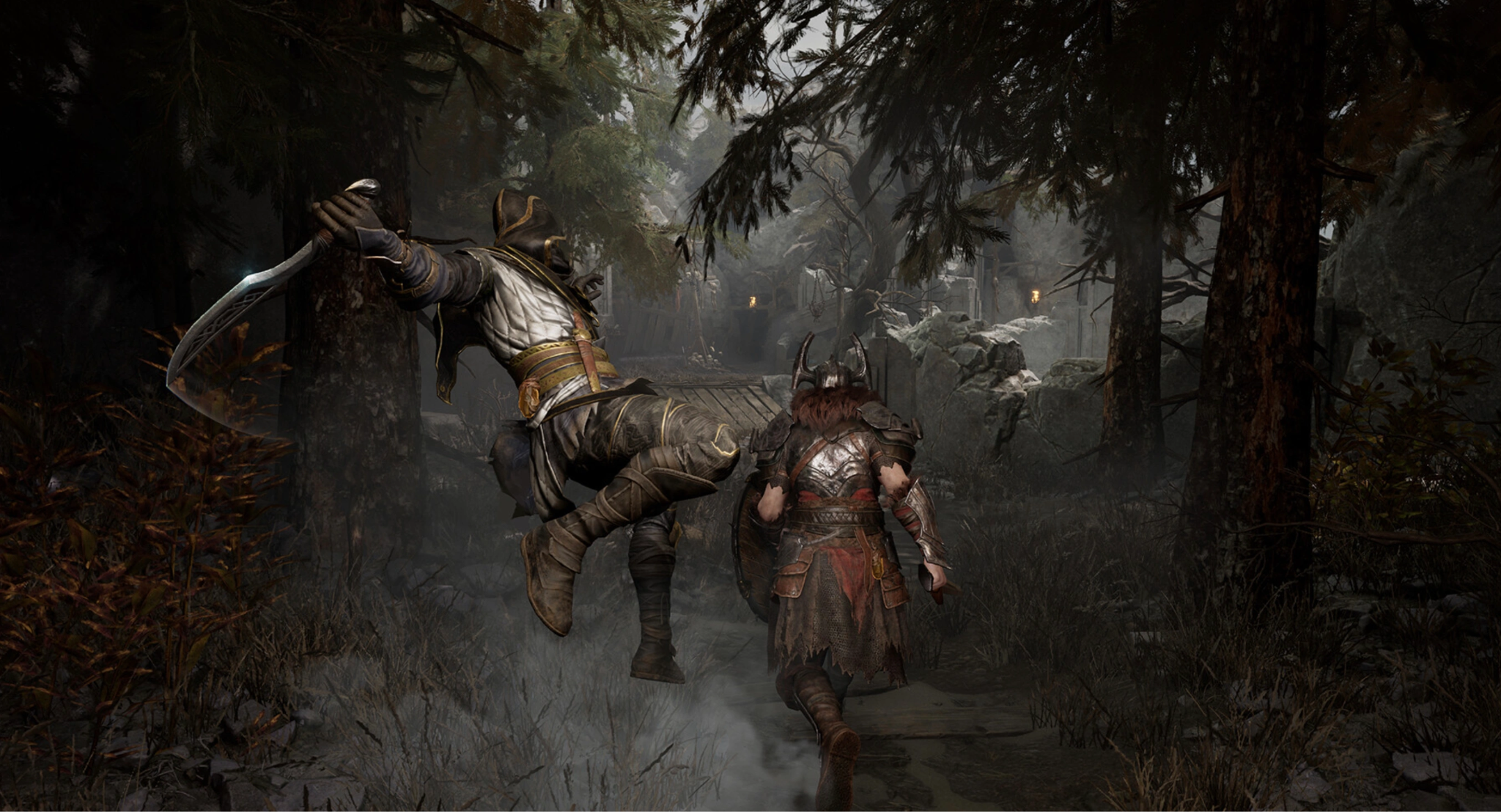
The search for local infrastructure is usually the first step when an online multiplayer title releases. Oceanic players need clear answers before diving into high-stakes extraction raids where dying means losing hard-earned loot.
Is There a Dedicated Australia Server?
Currently, Mistfall Hunter does not have a dedicated Australian server. Players located in major hubs like Sydney, Melbourne, Brisbane, and Perth must connect to offshore regional nodes, which immediately introduces a higher baseline delay for every in-game action.
Is There a Dedicated New Zealand Server?
Similarly, there is no dedicated New Zealand server for Mistfall Hunter. Gamers in Auckland, Wellington, or Christchurch share the same connectivity infrastructure as Australian players, forcing data to cross international subsea fiber cables just to reach the nearest active host.
Current Mistfall Hunter Server Locations
While official regional lists may shift slightly between testing phases and full releases, the core server nodes typically cover major gaming continents:
|
Regional Server Zone |
Primary Hub Locations |
Native Local Regions Covered |
|
Asia (SEA) |
Singapore |
South East Asia, East Asia |
|
North America |
US West, US East |
United States, Canada, Mexico |
|
Europe |
Frankfurt, London |
EU Countries, UK |
|
Oceania (OCE) |
None |
Forces AU/NZ to route elsewhere |
Part 2: Which Server Do Australia and New Zealand Players Use?
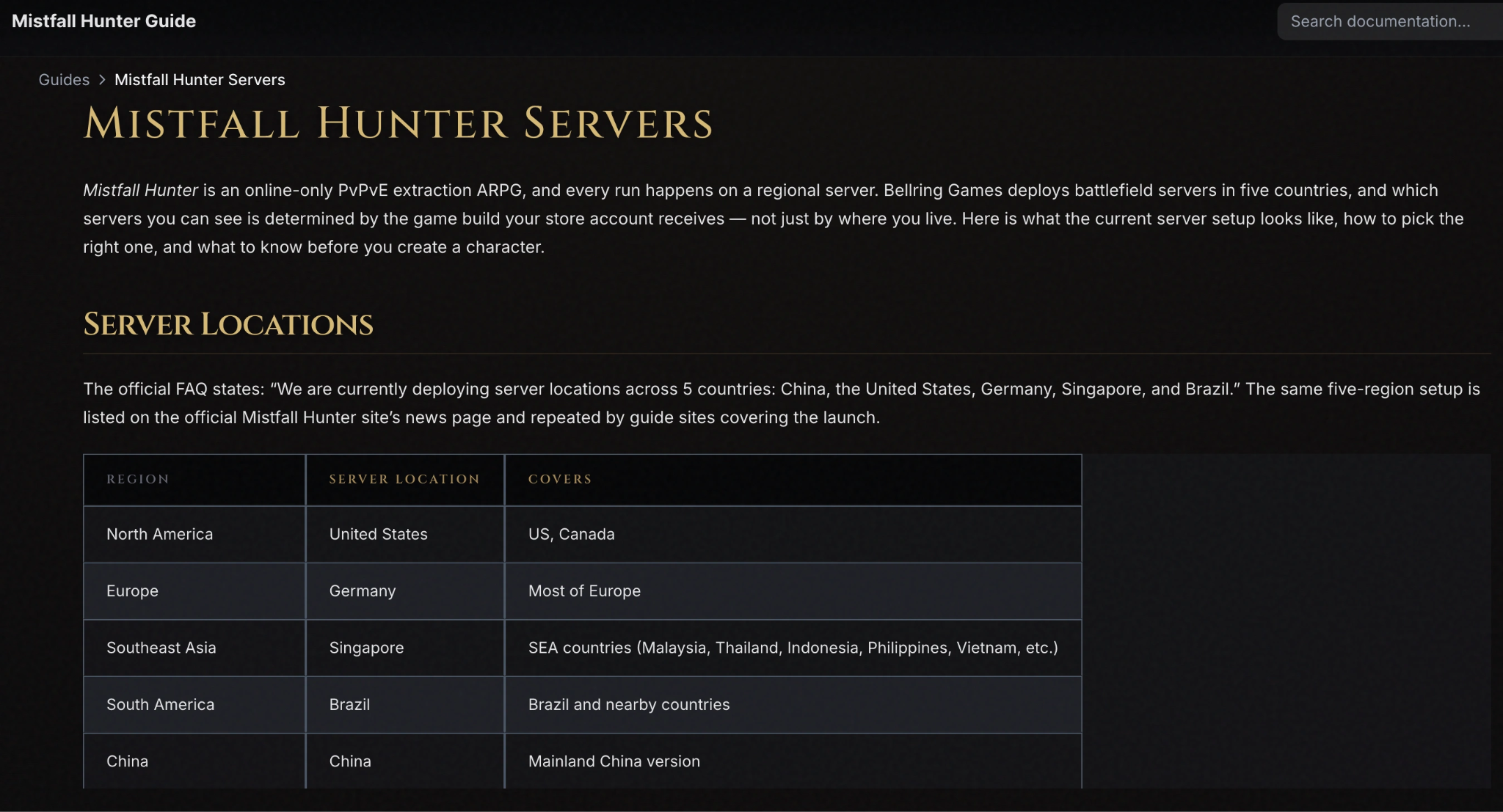
Without a local data center, Oceanic gamers are automatically or manually funneled into distant regional options. Understanding how these routes operate helps explain why your ping remains stubbornly high.
Singapore Server for Australian & New Zealand Players
The Singapore (SEA) server is the primary default destination for Oceanic players. Geographic proximity makes it the closest available option, though data must still travel thousands of kilometers across international cables, yielding a baseline connection delay.
Can OCE Players Select the North America Server?
Oceanic players can technically manually select North American servers (specifically US West). However, routing across the Pacific Ocean drives latency up significantly higher than the Singapore route, making competitive PvP almost impossible.
Why Some OCE Players See Different Server Options
Your displayed server list may vary depending on ISP routing protocols, matchmaking algorithms, or current server loads. Some ISPs automatically route traffic through less-optimized nodes, causing the game client to suggest North America over Singapore.
Part 3: What Ping Can OCE Players Expect in Mistfall Hunter?
Latency in Mistfall Hunter varies based on your specific city, your internet service provider, and international routing paths.
Actual Ping Depends on ISP Routing
Even players living in the same city can experience vastly different connection speeds. ISPs optimize their routes for general web traffic rather than low-latency gaming, which often causes data packets to take unnecessarily long trips before reaching Singapore.
|
Location |
Target Server Node |
Average Expected Ping Range |
Common Network Issues |
|
Sydney / Melbourne |
Singapore (SEA) |
90 ms – 120 ms |
Jitter during peak hours |
|
Brisbane |
Singapore (SEA) |
100 ms – 130 ms |
Routing hops via Sydney |
|
Perth |
Singapore (SEA) |
50 ms – 80 ms |
Best direct path via Indian Ocean |
|
Auckland / NZ |
Singapore (SEA) |
120 ms – 160 ms |
Multiple subsea transits |
|
Australia / NZ |
US West (NA) |
180 ms – 240 ms |
Heavy delay, severe disadvantage |
Expected Ping from Sydney to Singapore
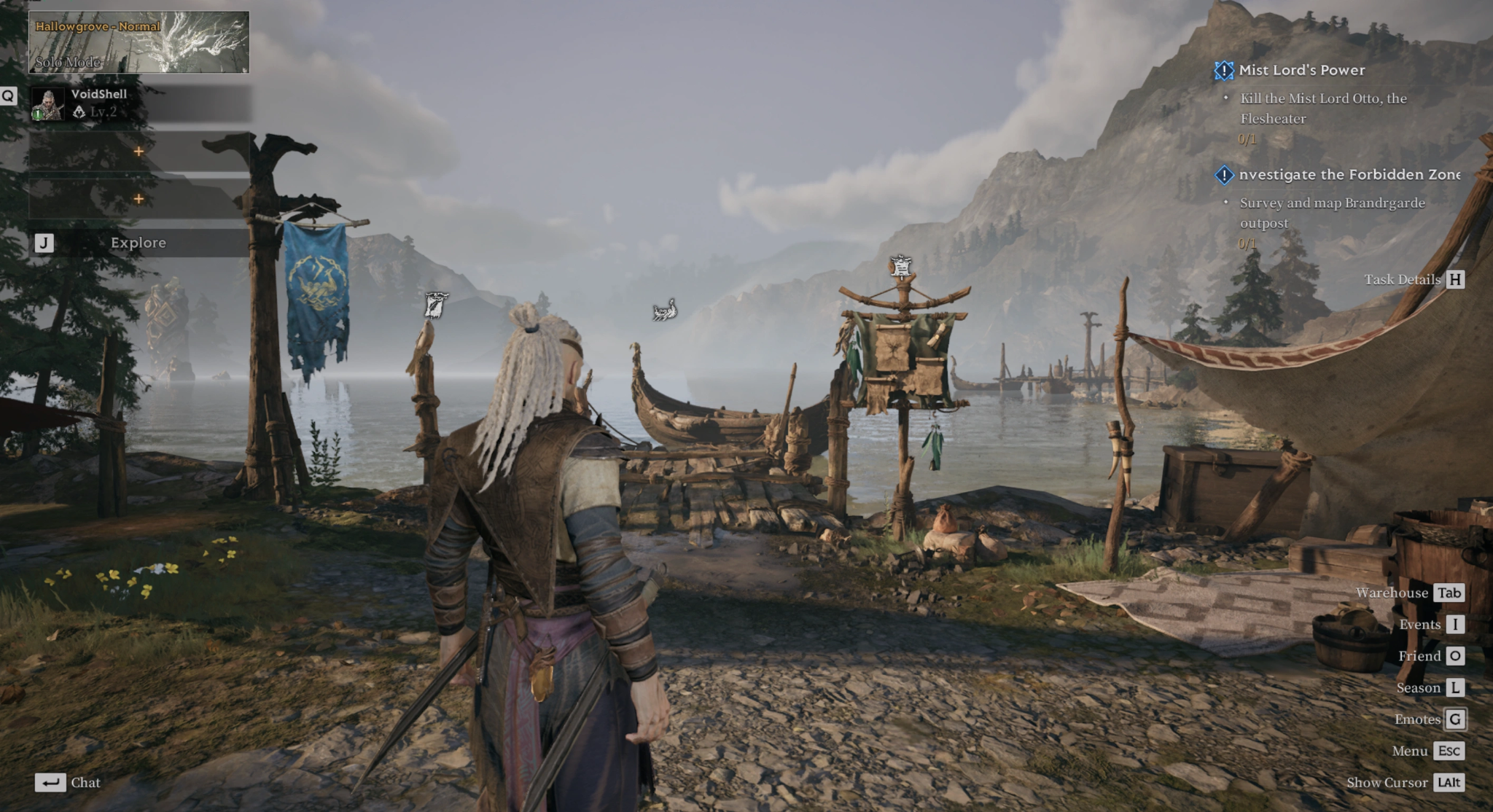
Players in Sydney generally see ping rates between 90ms and 115ms under optimal conditions. If your ISP routes traffic south through other domestic nodes before exiting the country, this number can easily spike above 140ms.
Expected Ping from Melbourne to Singapore
Melbourne gamers usually experience latency hovering around 100ms to 125ms. Because Melbourne traffic often routes through Sydney first, an additional 10ms to 15ms of internal routing delay is added to the baseline connection.
Expected Ping from Brisbane and Perth
- Perth: Due to the Indigo-West subsea cable connecting Perth directly to Singapore, Perth players enjoy the lowest ping in the region, often resting between 50ms and 75ms.
- Brisbane: Brisbane connections generally land between 105ms and 130ms, heavily reliant on how efficiently local networks handle the traffic heading out of Australia.
Expected Ping from New Zealand
New Zealand gamers face the highest latency in the Oceanic region. Running data from NZ to Australia, and then from Australia to Singapore, results in an average ping of 120ms to 160ms.
Part 4: Why Mistfall Hunter High Ping Is a Serious Problem for OCE Players
High latency isn't just an annoying number in the corner of your screen; it directly degrades combat performance in a hardcore extraction title like Mistfall Hunter.
Delayed Attacks and Skill Registration
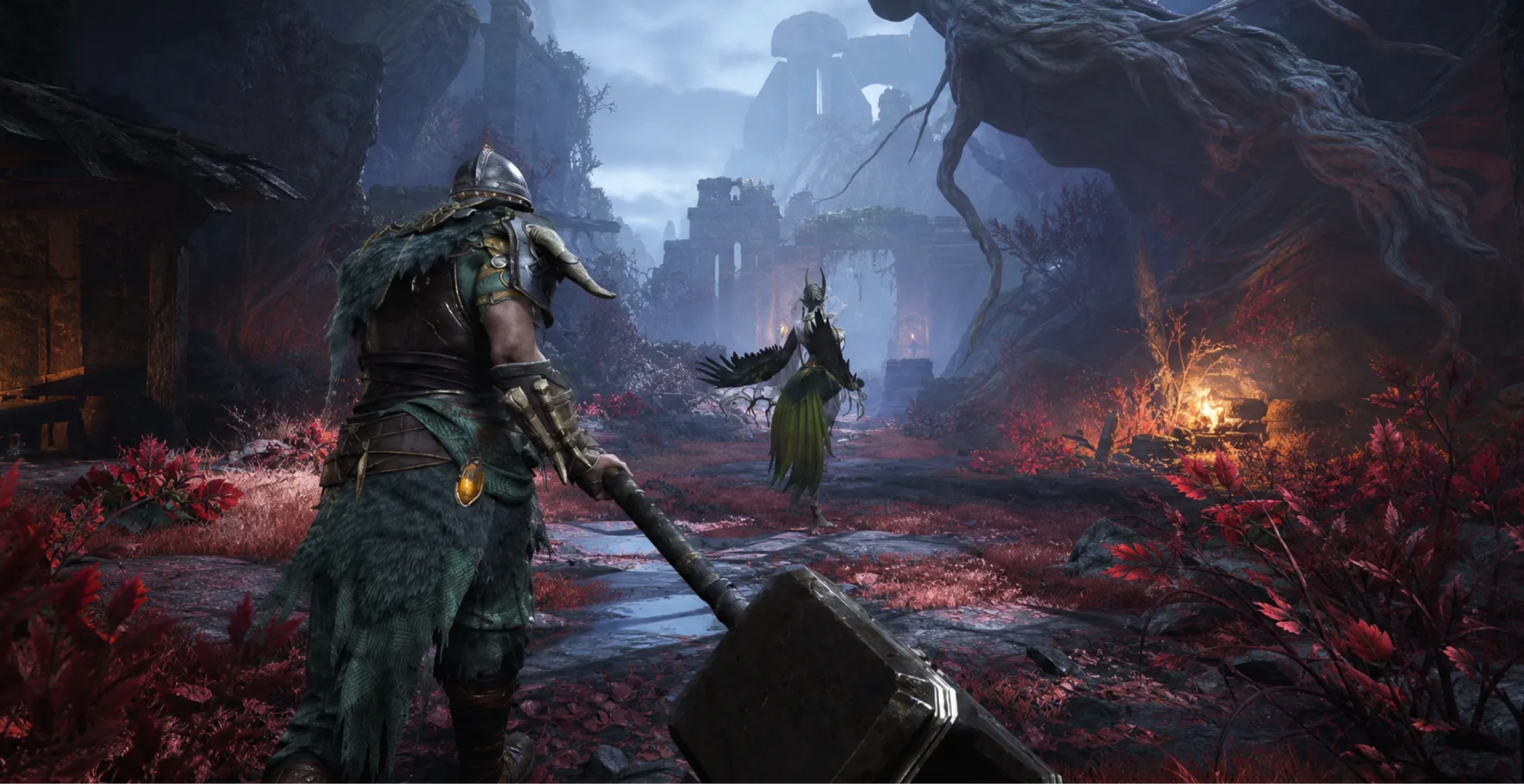
Mistfall Hunter relies on precise timing for melee swings and spell casting. When running on 120ms+ ping, your attacks register late on the server side, causing you to miss moving targets or lose trade damage against lower-ping opponents.
Dodging, Blocking, and Parrying Delay
Parrying and iframe dodging require split-second reactions. High latency creates an input lag buffer, meaning even if you block on your screen in time, the server reads the opponent's hit as landing before your defensive action was registered.
Rubberbanding and Character Teleporting
When data packets drop or arrive out of order over international routes, the server forcefully snaps your character back to its last validated position. This rubberbanding frequently pulls players back into enemy swings or environmental hazards.
PvP Disadvantages on Distant Servers
In extraction PvPvE, facing a local Asian player with 15ms ping while running on 120ms ping creates a severe mechanical handicap. Local players see your movements earlier and can react to your actions far faster than you can react to theirs.
Packet Loss and Ping Spikes During Extraction
The most frustrating issue occurs during extraction phases when heavy player activity bogs down unoptimized network routes. A sudden ping spike or packet loss drop during extract can cause a total disconnect, forfeiting all gathered loot.
Part 5: How to Reduce Mistfall Hunter High Ping in Australia and New Zealand
While waiting for local server infrastructure, you can take immediate, practical steps to stabilize your network connection and cut down unnecessary latency.
Optimize Australia-to-Singapore Routing with LagoFast
Because standard ISPs do not prioritize gaming traffic, packets hop across multiple public nodes before reaching international cables. LagoFast fixes this by bypassing public congestion and routing your game data through direct, private, high-speed lines dedicated to gaming traffic.
Why LagoFast is essential for OCE players:
- Multipath Connection: Routes your traffic across multiple paths simultaneously to eliminate packet loss.
- Node Auto-Selection: Automatically locks onto the fastest, most stable server node between AU/NZ and Singapore.
- FPS Boost: Optimizes system resources alongside network performance for smoother combat encounters.
How to Optimize Australia-to-Singapore Routing with LagoFast:
Step 1. Download and Install: Get the official LagoFast client on your PC.
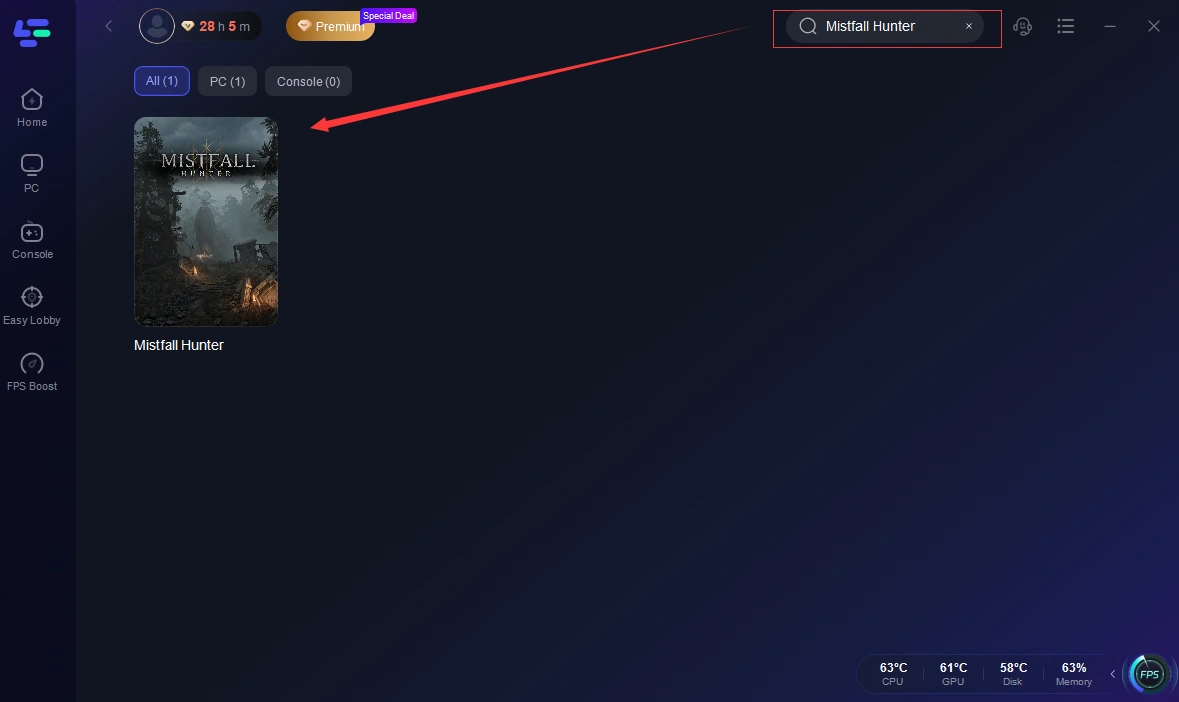
Step 2. Search Game: Type Mistfall Hunter into the search bar.
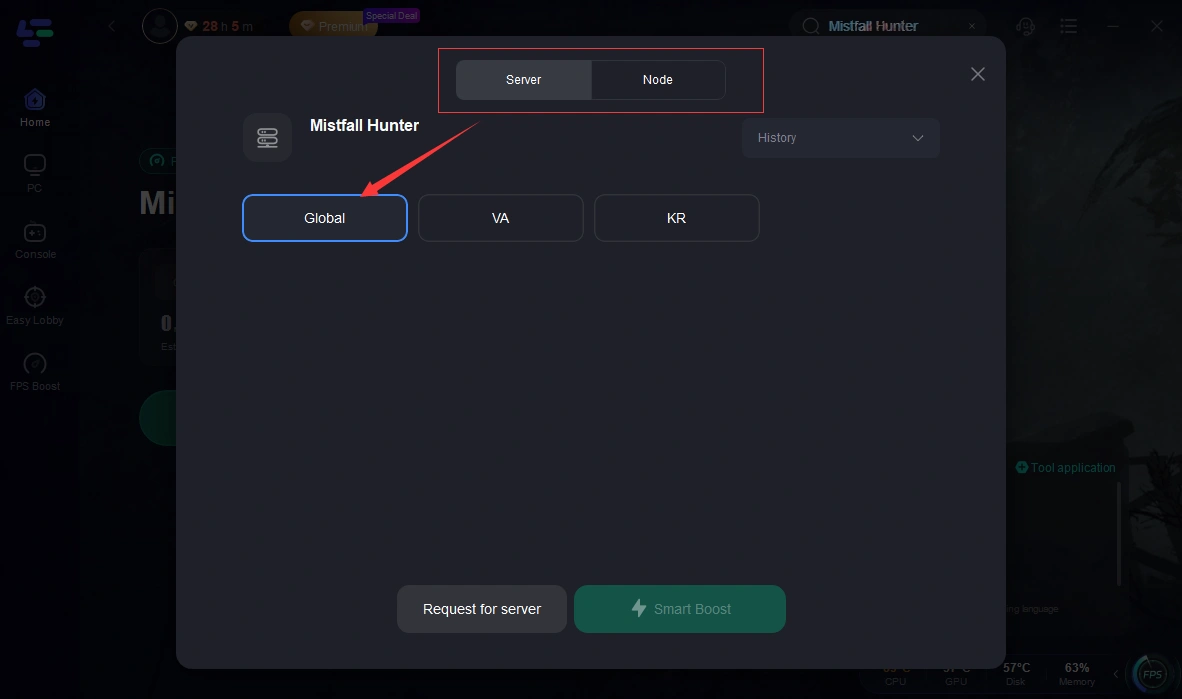
Step 3. Select Server: Choose the Singapore / SEA node (or your preferred server).
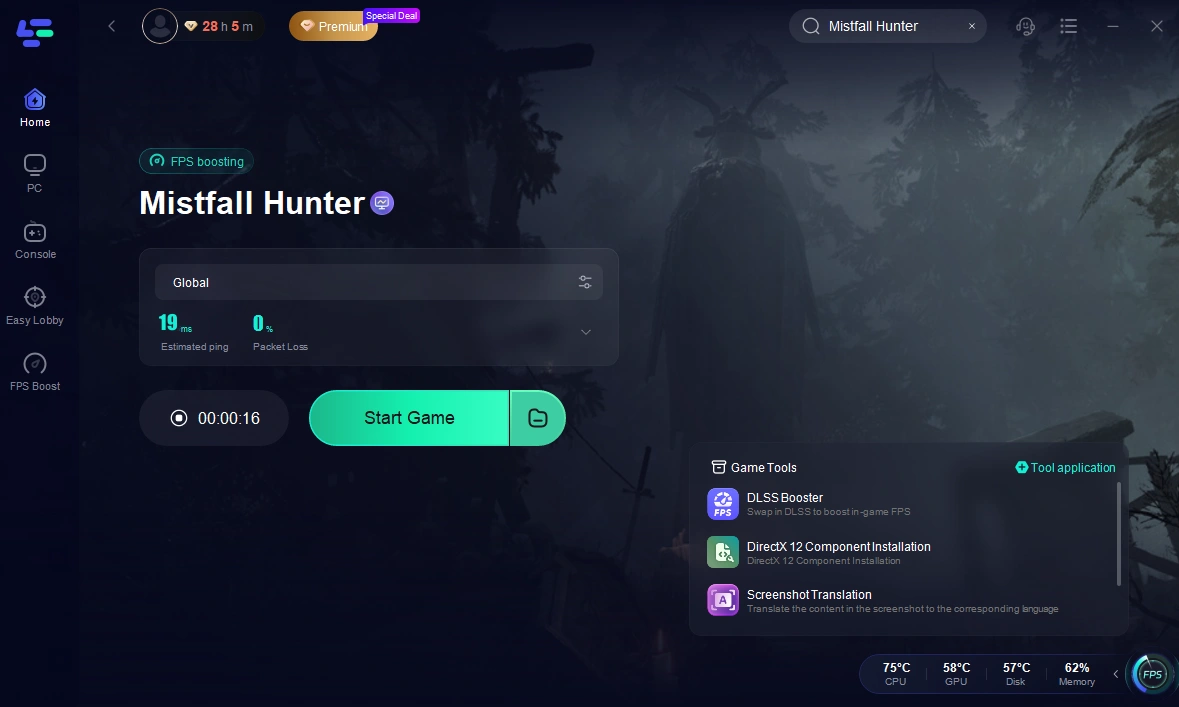
Step 4. Activate Smart Boost: Click Boost to establish an optimized, low-latency pathway before launching the game.
Select the Lowest-Ping Available Server
Always double-check your in-game network settings. Ensure the game hasn't auto-matched you into North America or East Asia. Manually forcing your selection to Singapore guarantees the shortest geographic path.
Use a Wired Connection Instead of Wi-Fi
Wi-Fi is susceptible to household interference, wall obstructions, and channel clutter, which cause packet loss and ping spikes. Connecting your PC via an Ethernet cable removes local network instability instantly.
Stop Background Downloads and Streaming
Background processes chew up bandwidth and cause sudden network jitter. Before starting a run in Mistfall Hunter, pause all active downloads, close torrent clients, and turn off high-definition video streams on your home network.
Part 6: Can Australia and New Zealand Players Change Servers?
Server switching options vary depending on how developers configure their account systems, regional locks, and matchmaking pools.
Server Options Depend on the Available Game Build
During playtests and early releases, server selection menus may be locked, dynamically assigned, or fully open. If the current build allows manual selection, always pick the region with the lowest baseline latency shown in the menu.
What Happens to Your Character When You Switch Servers
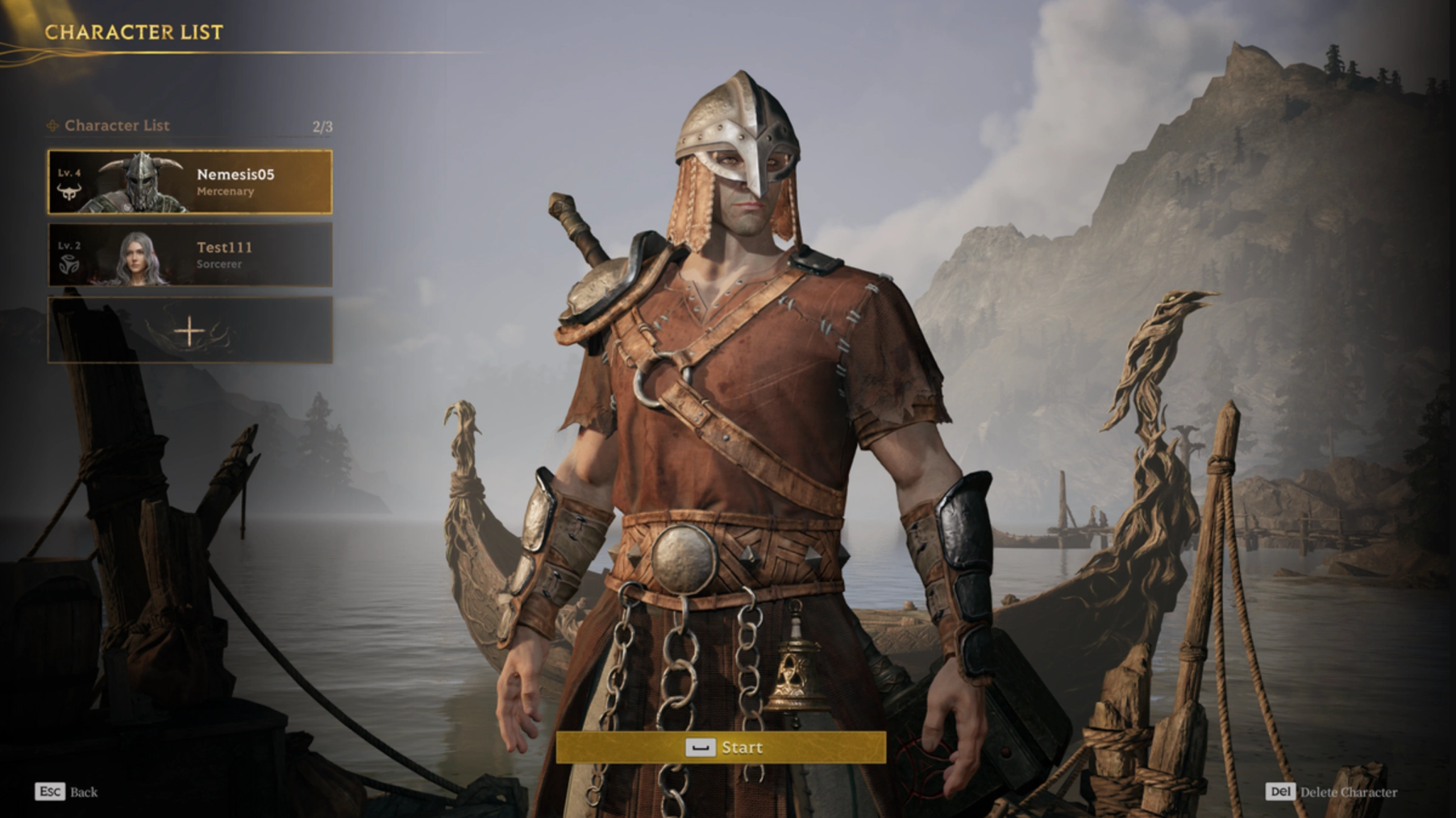
In most extraction games, character progression, stash inventory, and gear are tied either to a global profile or regional database. Be sure to check in-game prompts to see if your progress carries over freely between Singapore and North America.
Can OCE Players Play with NA or EU Friends?
Yes, you can team up with friends in North America or Europe, but the party leader's region usually dictates the match server. If you join an NA lobby, expect your ping to rise above 180ms–220ms.
Part 7: Will Mistfall Hunter Add an Australian Server?
The addition of dedicated local infrastructure depends heavily on player demand and long-term regional engagement.
Current Official Server Information
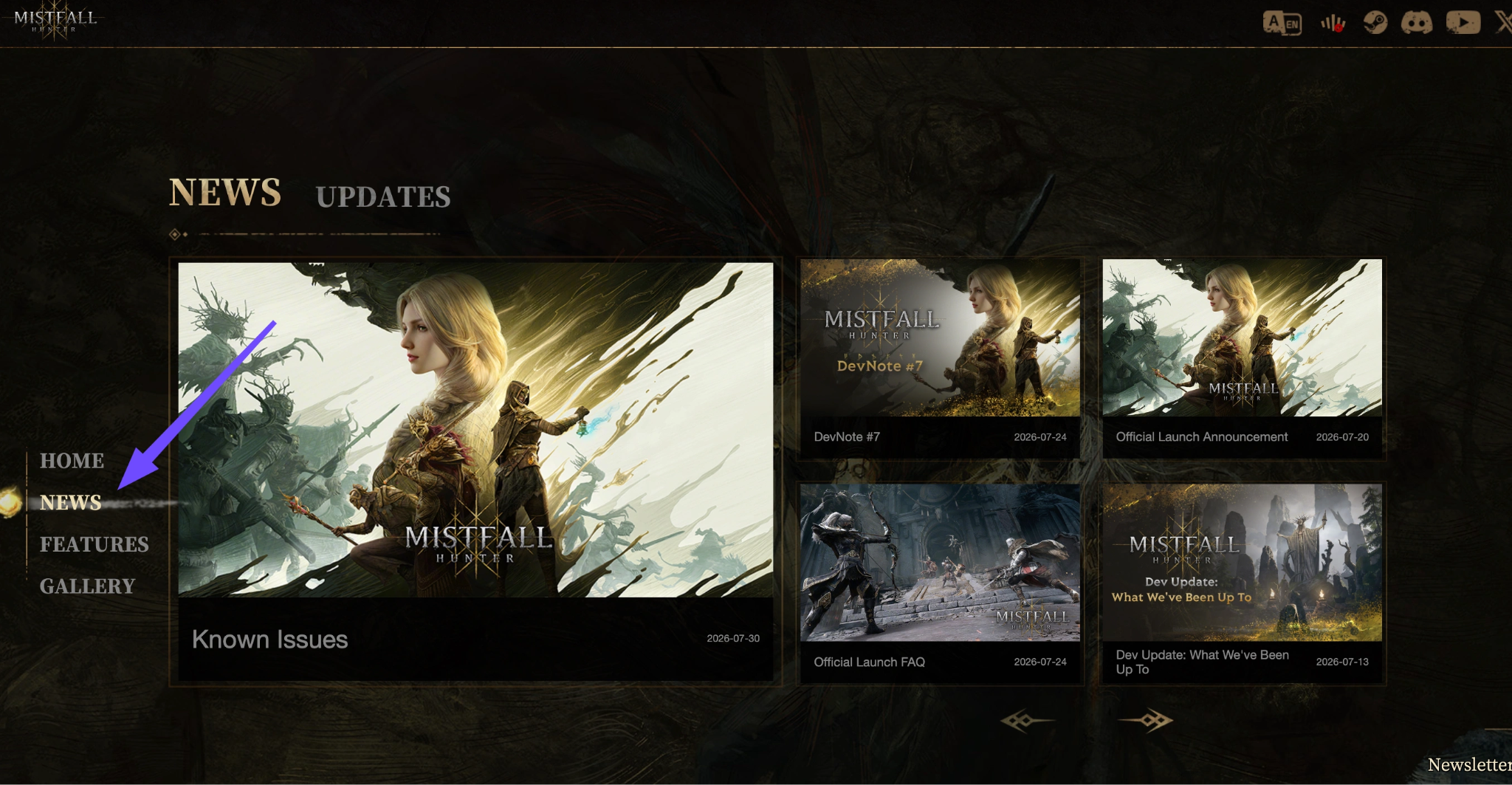
As of now, the developers have not officially deployed dedicated Oceanic servers. Studio resources are typically focused on high-density player bases (NA, EU, Asia) during initial launch phases.
Where to Check for Future OCE Server Announcements
Keep an eye on official communication channels for updates regarding network infrastructure expansion:
- Official Discord Server: Watch the #announcements and #feedback channels.
- Steam Community Hub: Track patch notes and developer roadmaps.
- Official Social Media (X/Twitter): Follow server status updates during main patch deployments.
Part 8: Mistfall Hunter OCE Server FAQs
Why is my ping so high in Mistfall Hunter from Australia?
Your ping is high because there are currently no local Australian server nodes. All traffic must travel thousands of kilometers over subsea cables to reach the nearest servers in Singapore or North America.
Can I play Mistfall Hunter comfortably from New Zealand?
Yes, but you will experience a baseline latency of 120ms–160ms. Using a route optimizer like LagoFast can help smooth out packet loss and prevent severe rubberbanding during combat.
Is rubberbanding caused by my internet or the game servers?
It can be both. However, for OCE players, rubberbanding is usually caused by packet loss occurring over long international subsea cable routes between your ISP and the distant server host.
Will LagoFast actually lower my ping in New Zealand?
Yes, LagoFast can actively bypass poor NZ ISP routing to ensure your data takes the absolute fastest, most direct subsea route to Asia, often shaving off 20-40ms and stopping ping spikes.Why do players in Perth get better ping to Singapore than Sydney players?
Perth is geographically closer to South East Asia and connects directly to Singapore via the Indigo-West subsea cable, bypassing the extra domestic travel required for east-coast Australian traffic.
Does Mistfall Hunter support cross-region play?
Yes, players can invite friends from other regions into their party. However, the connection quality will default to whichever regional server host the party leader selects.
Conclusion
Playing Mistfall Hunter from Australia or New Zealand presents clear connectivity challenges without local Oceanic servers. High latency, input delay, and rubberbanding can hamper your ability to extract safely. Fortunately, by leveraging direct network optimization through LagoFast, locking in a wired Ethernet setup, and selecting the optimal Singapore server node, you can dramatically stabilize your ping and compete effectively in every match.
Boost Your Game with LagoFast for Epic Speed
Play harder, faster. LagoFast game booster eliminates stutter and lags on PC, mobile, or Mac—win every match!
Quickly Reduce Game Lag and Ping!
Boost FPS for Smoother Gameplay!